> ## Documentation Index
> Fetch the complete documentation index at: https://docs.open-hive.com/llms.txt
> Use this file to discover all available pages before exploring further.
# Plan: tasks, blockers, and history
> Understand the colony's task list, update its direction, and reuse a successful workflow.
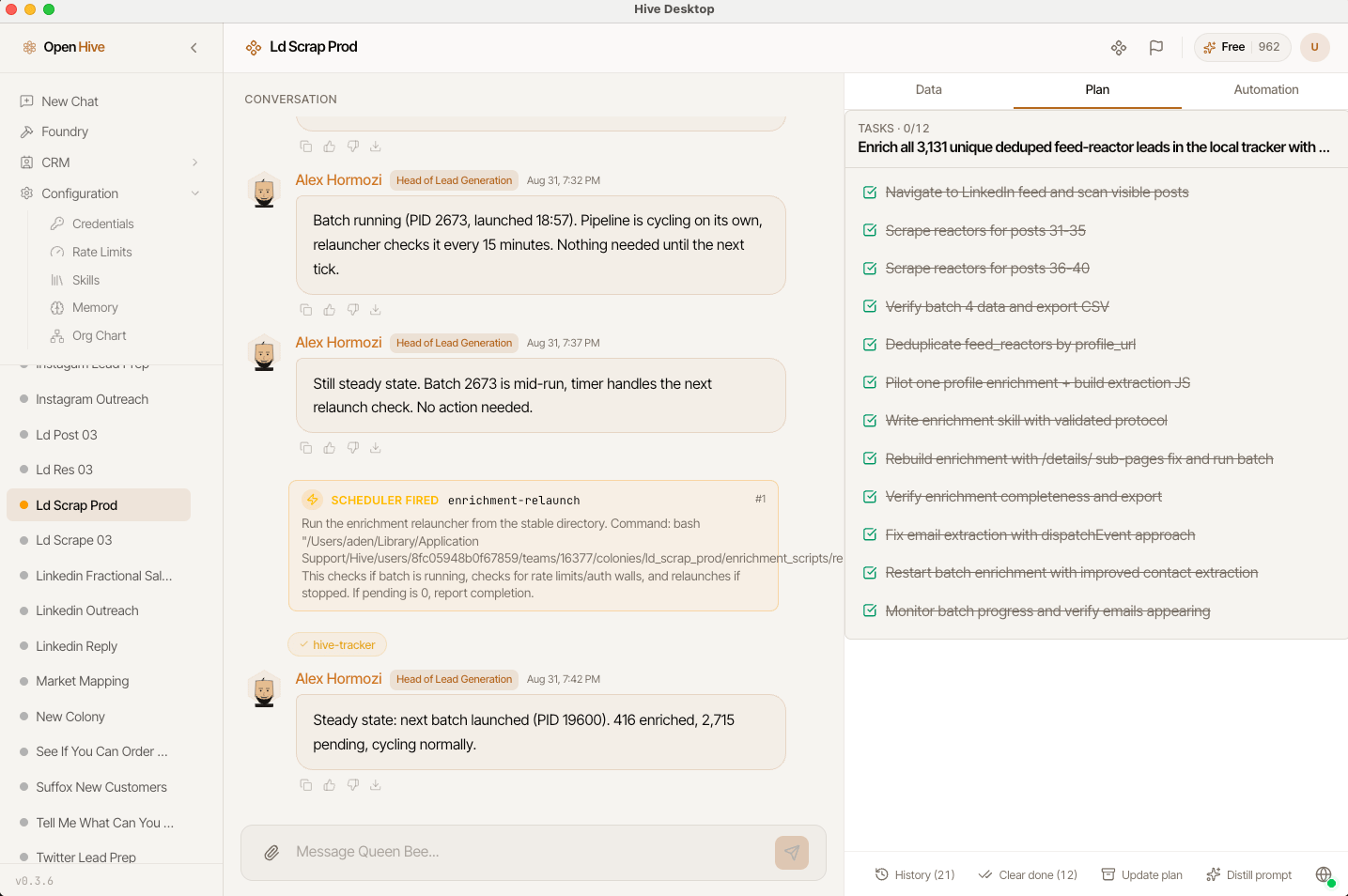
Choose **Plan** to see the colony's task list. Use it to answer: what has been done, what remains, and what is preventing the next step?
The plan is maintained through the agent's work. It is not a separate conversation or a guarantee that every task is already running.
Screenshots show the desktop interface with fictional example data. Names, messages, counts, and connection states are illustrative, not account defaults or evidence of live activity.
## Read the task list
Review each task's description, status, and any blockers. A blocker can refer to another task; select the reference to jump to that task and understand the dependency.
**No tasks yet** means the agent has not recorded a plan. Ask for one when a goal has multiple stages:
```text theme={null}
Before continuing, create a plan for researching the prospects,
checking the sources, and saving the final table. Identify any step
that needs my input. Do not send outreach.
```
Check **Automation → Workers** when you need execution detail. Plan items describe intended work; workers show delegated execution.
 ## Update a plan
**Update plan** asks the queen to review progress, mark finished work, archive done or stale items, and list next steps. It initiates agent work; it is not merely a refresh button.
When the scope changes, explain the change in chat:
```text theme={null}
Keep the completed research. Remove the outreach step from the plan.
The remaining goal is a verified shortlist of ten companies.
```
Then inspect the revised list to confirm the agent understood.
## Update a plan
**Update plan** asks the queen to review progress, mark finished work, archive done or stale items, and list next steps. It initiates agent work; it is not merely a refresh button.
When the scope changes, explain the change in chat:
```text theme={null}
Keep the completed research. Remove the outreach step from the plan.
The remaining goal is a verified shortlist of ten companies.
```
Then inspect the revised list to confirm the agent understood.
 ## Clear completed work without losing the history
**Clear done** appears when there are completed tasks. It archives completed items directly so the active plan is easier to read; it does not ask the agent to run a new planning task.
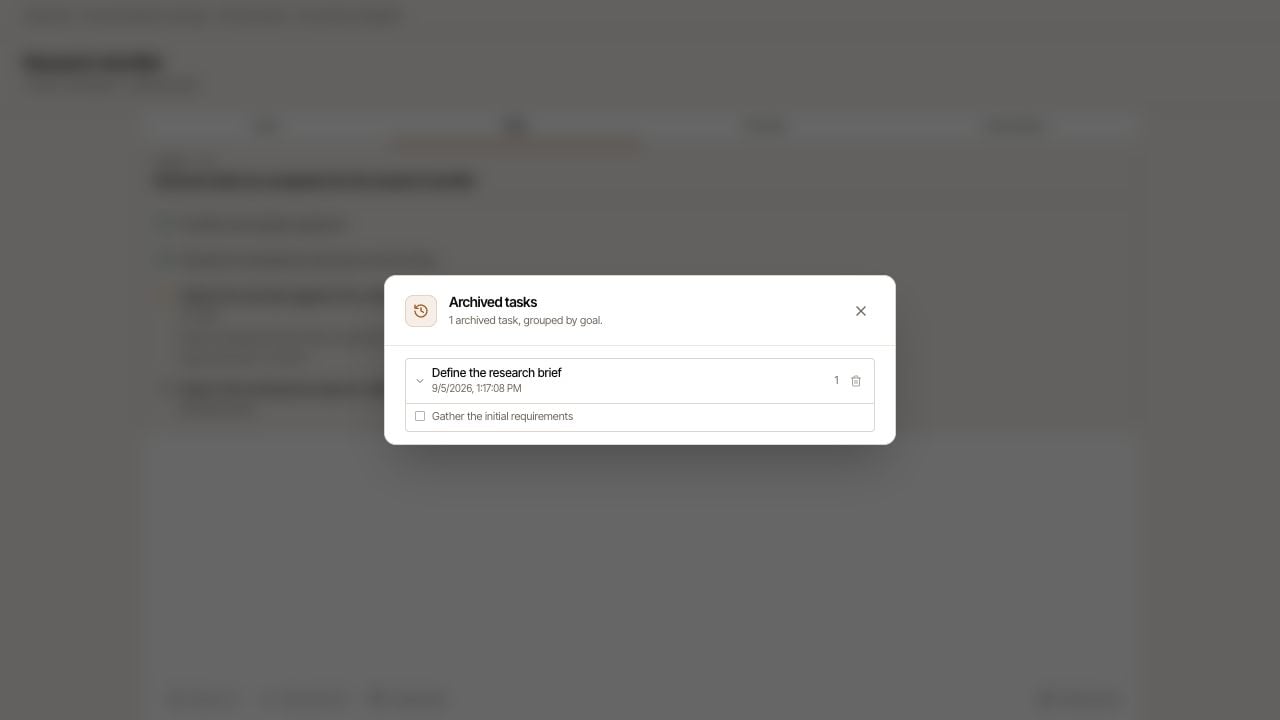
Open **History** to inspect archived batches, their goal, date, and tasks. Expand a batch to read its contents.
The history control labeled **Remove from history (restores these tasks to the plan)** restores a batch to the active plan. It does not permanently delete those tasks.
A **Previous sessions** section, when available, lets you inspect earlier session plans. Treat these as historical context, not the current to-do list.
## Clear completed work without losing the history
**Clear done** appears when there are completed tasks. It archives completed items directly so the active plan is easier to read; it does not ask the agent to run a new planning task.
Open **History** to inspect archived batches, their goal, date, and tasks. Expand a batch to read its contents.
The history control labeled **Remove from history (restores these tasks to the plan)** restores a batch to the active plan. It does not permanently delete those tasks.
A **Previous sessions** section, when available, lets you inspect earlier session plans. Treat these as historical context, not the current to-do list.
 ## Distill a reusable prompt
**Distill prompt** asks the queen to turn the workflow and your feedback into a reusable prompt. Review the generated text in chat; it is not automatically saved to the prompt library.
Remove private customer details, replace one-off inputs with clear placeholders, and preserve the successful acceptance criteria. Then save the reviewed version in the [prompt library](/guides/prompt-library).
## If the plan looks wrong
Ask the agent to reconcile the plan with the actual [Data](/colony/data), files, and worker outcomes. Do not mark a business outcome as successful solely because its task is completed.
## Distill a reusable prompt
**Distill prompt** asks the queen to turn the workflow and your feedback into a reusable prompt. Review the generated text in chat; it is not automatically saved to the prompt library.
Remove private customer details, replace one-off inputs with clear placeholders, and preserve the successful acceptance criteria. Then save the reviewed version in the [prompt library](/guides/prompt-library).
## If the plan looks wrong
Ask the agent to reconcile the plan with the actual [Data](/colony/data), files, and worker outcomes. Do not mark a business outcome as successful solely because its task is completed.