> ## Documentation Index
> Fetch the complete documentation index at: https://docs.open-hive.com/llms.txt
> Use this file to discover all available pages before exploring further.
# Skills library
> Browse, author, and connect the capabilities your agents can use.
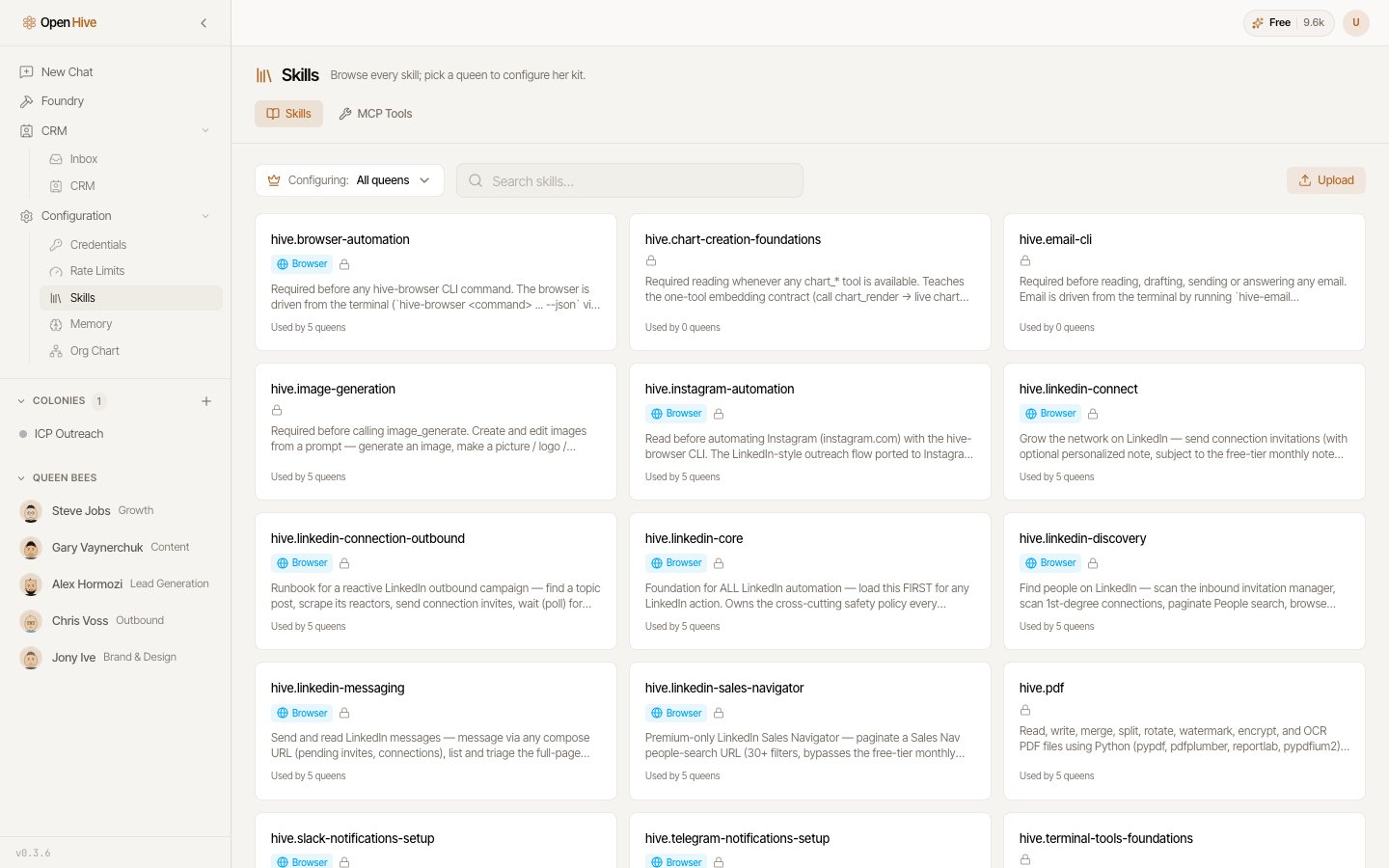
**Configuration → Skills** is the catalog of everything your agents know how to do. See
[Skills](/concepts/skills) for the concept.
 ## Browsing
The library lists every skill available on this machine, with a filter for finding one
by name. Each entry carries a one-line summary — the same text shown in the catalog
picker when you type `/` in a prompt box.
## Assigning skills to queens
Skills can be scoped per queen, so a queen only carries the capabilities relevant to her
function. Use **Configure skills** on a queen to set which ones she has.
## Authoring your own
Write a skill as Markdown with a name, a one-line description, and a body describing the
procedure. All three are required.
You can also upload one — only `.md` and `.zip` files are accepted. Use `.zip` when a
skill needs supporting files alongside its Markdown.
## MCP servers
The **MCP** tab connects Model Context Protocol servers. Connecting one exposes its
tools to your agents as skills, which is the general path for wiring OpenHive into
systems it doesn't support natively.
## Browsing
The library lists every skill available on this machine, with a filter for finding one
by name. Each entry carries a one-line summary — the same text shown in the catalog
picker when you type `/` in a prompt box.
## Assigning skills to queens
Skills can be scoped per queen, so a queen only carries the capabilities relevant to her
function. Use **Configure skills** on a queen to set which ones she has.
## Authoring your own
Write a skill as Markdown with a name, a one-line description, and a body describing the
procedure. All three are required.
You can also upload one — only `.md` and `.zip` files are accepted. Use `.zip` when a
skill needs supporting files alongside its Markdown.
## MCP servers
The **MCP** tab connects Model Context Protocol servers. Connecting one exposes its
tools to your agents as skills, which is the general path for wiring OpenHive into
systems it doesn't support natively.