> ## Documentation Index
> Fetch the complete documentation index at: https://docs.open-hive.com/llms.txt
> Use this file to discover all available pages before exploring further.
# Email: inboxes, accounts, and profiles
> Understand the email workspace and set up a complete send-and-reply workflow.
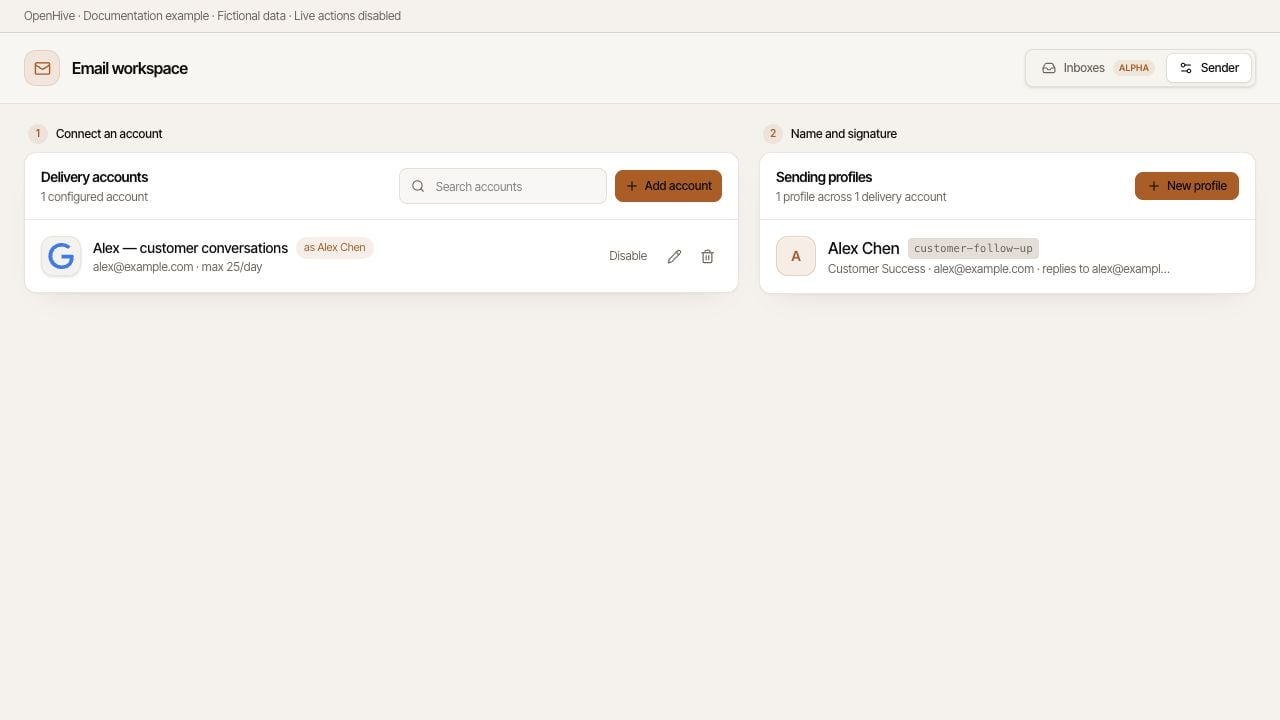
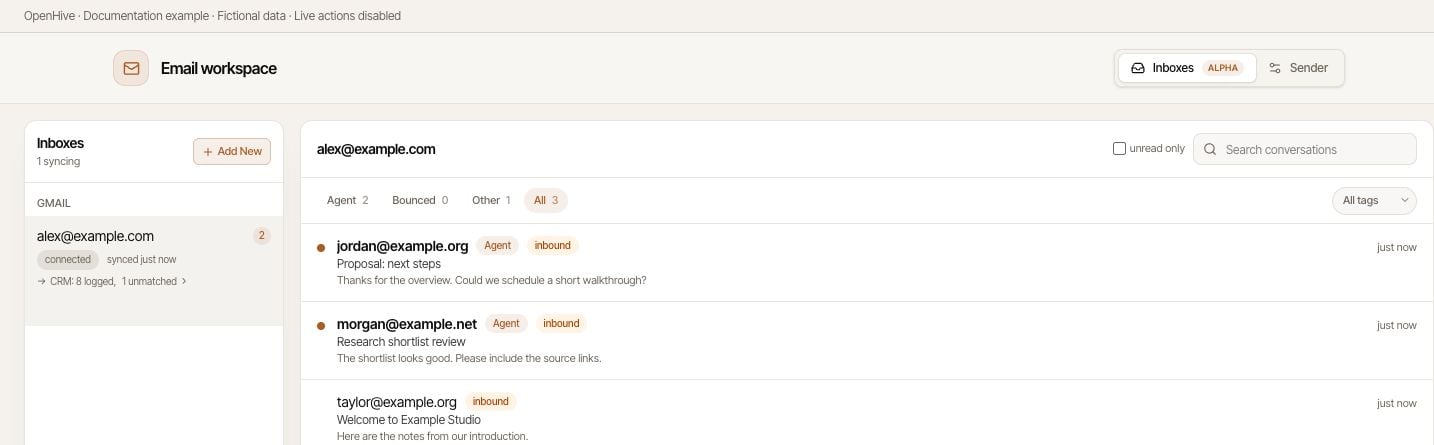
The email workspace has two views: **Inboxes** for conversations and **Sender** for setup. Sender is organized into **1 Connect an account** and **2 Name and signature**.
Screenshots show the desktop interface with fictional example data. Names, messages, counts, and connection states are illustrative, not account defaults or evidence of live activity.
 ## Three pieces, three jobs
| Piece | What it does | What it does not do |
| -------------------- | ----------------------------------------------------------------------- | ------------------------------------------------------------------------ |
| **Inbox** | Syncs messages so you can read conversations and reply. | A connected inbox alone does not establish every sending capability. |
| **Delivery account** | Connects the provider and address used to send mail. | A send-only provider does not automatically give you a readable mailbox. |
| **Sending profile** | Supplies the display name and signature for assigned delivery accounts. | It is not a mailbox, login, or independent source of sending capacity. |
For example, a delivery account for `alex@example.com` can use a profile named **Alex Chen** with Alex's signature. Incoming messages need a supported inbox connection. If the profile specifies a different Reply-To address, check that mailbox too.
## Three pieces, three jobs
| Piece | What it does | What it does not do |
| -------------------- | ----------------------------------------------------------------------- | ------------------------------------------------------------------------ |
| **Inbox** | Syncs messages so you can read conversations and reply. | A connected inbox alone does not establish every sending capability. |
| **Delivery account** | Connects the provider and address used to send mail. | A send-only provider does not automatically give you a readable mailbox. |
| **Sending profile** | Supplies the display name and signature for assigned delivery accounts. | It is not a mailbox, login, or independent source of sending capacity. |
For example, a delivery account for `alex@example.com` can use a profile named **Alex Chen** with Alex's signature. Incoming messages need a supported inbox connection. If the profile specifies a different Reply-To address, check that mailbox too.
 ## Set up your first workflow
1. Open the email workspace from **Inbox** in the CRM area, then select **Sender**.
2. [Connect a delivery account](/configuration/senders) for your provider.
3. [Create a sending profile](/email/sending-profiles) and review which accounts use it.
4. Switch to **Inboxes** and [sync the mailbox](/guides/inbox) that should receive replies.
5. If you choose to test sending, use an address you control. Check the received name, signature, and reply destination.
6. [Preview and send a reply](/email/replying) only after checking the thread and recipients.
If email controls are missing, check [Settings](/configuration/settings) and the workspace's feature availability. The **Email senders** setting also describes when sending tools become available to new colonies. A connected account is not a promise that every colony has the corresponding tools.
## Choose the right place
Use **Inboxes** to read and triage mail, **Sender** to repair credentials or change signatures, and [CRM](/guides/crm) to work with shared people and organizations. Use a colony to delegate a clearly scoped task.
For draft-only work, say so explicitly:
```text theme={null}
Draft a reply to the conversation with Alex about the proposal.
Use the customer-follow-up profile. Flag any unverified commitments.
Do not send the message.
```
Connecting an account is not the same as approving a particular message. Review your instructions, recipients, and sending limits before delegating outreach.
## Set up your first workflow
1. Open the email workspace from **Inbox** in the CRM area, then select **Sender**.
2. [Connect a delivery account](/configuration/senders) for your provider.
3. [Create a sending profile](/email/sending-profiles) and review which accounts use it.
4. Switch to **Inboxes** and [sync the mailbox](/guides/inbox) that should receive replies.
5. If you choose to test sending, use an address you control. Check the received name, signature, and reply destination.
6. [Preview and send a reply](/email/replying) only after checking the thread and recipients.
If email controls are missing, check [Settings](/configuration/settings) and the workspace's feature availability. The **Email senders** setting also describes when sending tools become available to new colonies. A connected account is not a promise that every colony has the corresponding tools.
## Choose the right place
Use **Inboxes** to read and triage mail, **Sender** to repair credentials or change signatures, and [CRM](/guides/crm) to work with shared people and organizations. Use a colony to delegate a clearly scoped task.
For draft-only work, say so explicitly:
```text theme={null}
Draft a reply to the conversation with Alex about the proposal.
Use the customer-follow-up profile. Flag any unverified commitments.
Do not send the message.
```
Connecting an account is not the same as approving a particular message. Review your instructions, recipients, and sending limits before delegating outreach.