> ## Documentation Index
> Fetch the complete documentation index at: https://docs.open-hive.com/llms.txt
> Use this file to discover all available pages before exploring further.
# Foundry
> Forge a company's go-to-market assets from its website.
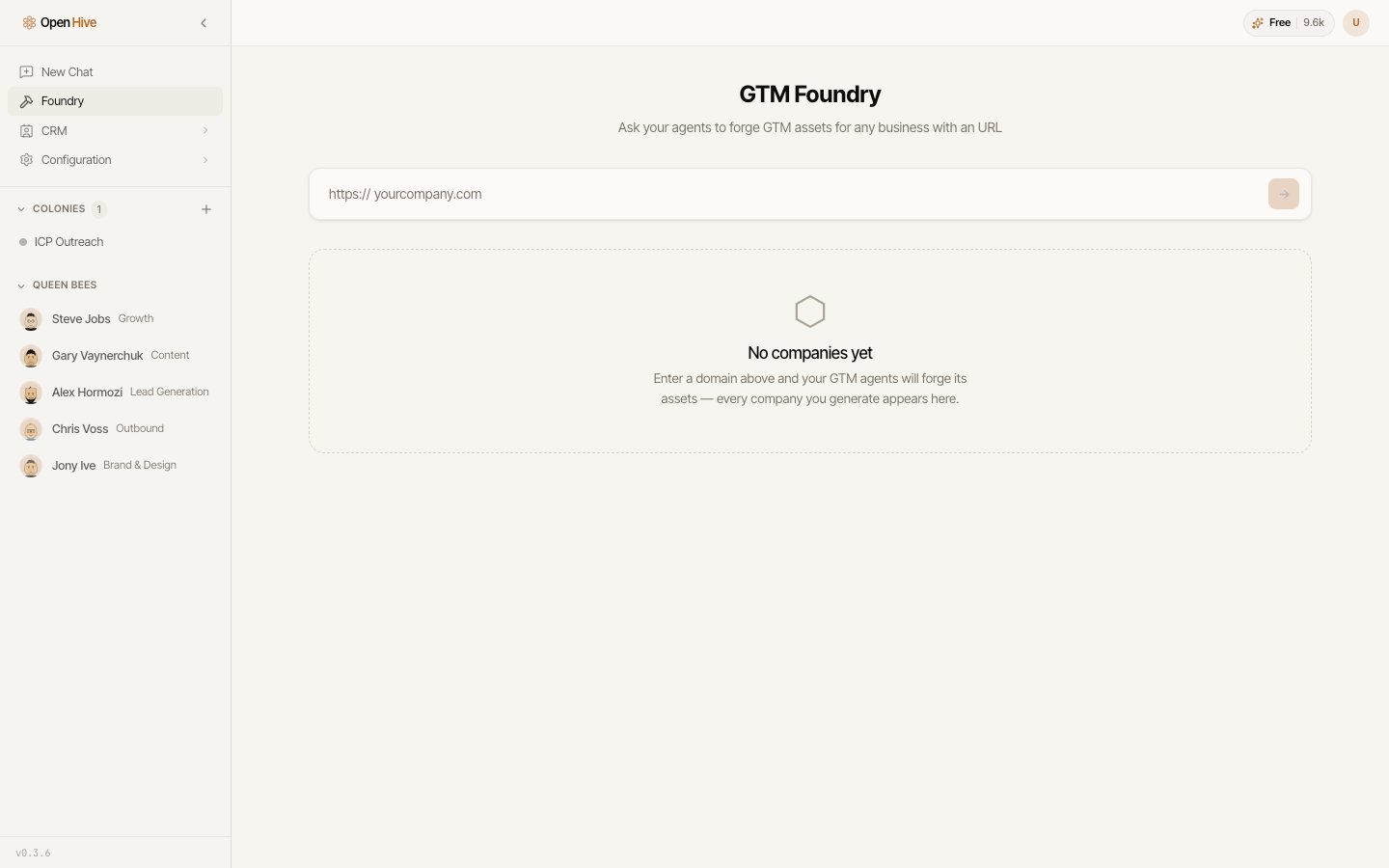
The **Foundry** builds a company's go-to-market foundation from one input: its website.
It reads the site, works out what the business sells and who buys it, then forges the
assets a GTM motion needs — outreach angles, content, ads, collateral, and a CRM plan.
 Use it when you're starting from scratch: a new company, a new product line, or a client
you've just taken on.
## Running a forge
The Foundry opens on the companies you've already forged. Choose one to see its
assets, or **Forge a new company…** to start fresh.
Provide a website address, like `example.com`. That's the only input — everything
else is derived from it. The Foundry crawls the site and reports how many pages it
read.
A run takes a couple of minutes and reports as `running`, then `complete` or
`failed`. Assets appear card by card as they're produced rather than all at once, so
you can start reading the profile while the rest is still being forged.
## What gets forged
The run produces a **business profile** and **GTM intel** first — these frame everything
else:
| Output | Contains |
| -------------------- | --------------------------------------------------------------------------------------- |
| **Business profile** | Company name, a one-liner, what they sell, and who buys it. |
| **GTM intel** | An ICP broken into target industries and buyer titles, plus proof points you can claim. |
Then the artifacts themselves:
Referral paths into target accounts.
Social angles and mentions to engage.
Content built on the positioning and proof points found on the site.
Ad copy aimed at the ICP.
Sales and brand collateral — including generated pieces like business cards.
The stages and columns this motion needs, ready to add to your [CRM](/guides/crm).
Every card renders a real result or an explicit empty state. Where the Foundry found
nothing, it says so rather than filling the space with a sample. On a card whose whole
promise is "here is what we found for you", a convincing fake is worse than an empty
state, because nothing distinguishes it from a real result.
## Preview and live
Each artifact carries a mode:
* **Preview** — a draft for you to read. A preview artifact can never be published.
* **Live** — cleared for publishing. Publishing it parks the artifact at
**awaiting approval** rather than pushing it out, so nothing reaches the world on the
Foundry's own initiative.
## Refining with the queen
You don't have to accept what a run produced. Ask the queen for changes in plain
language — tighten a one-liner, aim the ads at a different buyer title, add a proof
point — and she edits the affected artifacts in place and tells you which ones changed.
## Loading results into the CRM
The **CRM plan** artifact declares the stages and columns the motion needs, and the
Foundry can add them to your CRM for you. Buyers a run matched are then loaded into the
first open stage — an explicit step you take, not something the run does on its own.
Launching outreach off the back of it is explicit too: a campaign asks
**Launch this campaign?** before anything sends.
Use it when you're starting from scratch: a new company, a new product line, or a client
you've just taken on.
## Running a forge
The Foundry opens on the companies you've already forged. Choose one to see its
assets, or **Forge a new company…** to start fresh.
Provide a website address, like `example.com`. That's the only input — everything
else is derived from it. The Foundry crawls the site and reports how many pages it
read.
A run takes a couple of minutes and reports as `running`, then `complete` or
`failed`. Assets appear card by card as they're produced rather than all at once, so
you can start reading the profile while the rest is still being forged.
## What gets forged
The run produces a **business profile** and **GTM intel** first — these frame everything
else:
| Output | Contains |
| -------------------- | --------------------------------------------------------------------------------------- |
| **Business profile** | Company name, a one-liner, what they sell, and who buys it. |
| **GTM intel** | An ICP broken into target industries and buyer titles, plus proof points you can claim. |
Then the artifacts themselves:
Referral paths into target accounts.
Social angles and mentions to engage.
Content built on the positioning and proof points found on the site.
Ad copy aimed at the ICP.
Sales and brand collateral — including generated pieces like business cards.
The stages and columns this motion needs, ready to add to your [CRM](/guides/crm).
Every card renders a real result or an explicit empty state. Where the Foundry found
nothing, it says so rather than filling the space with a sample. On a card whose whole
promise is "here is what we found for you", a convincing fake is worse than an empty
state, because nothing distinguishes it from a real result.
## Preview and live
Each artifact carries a mode:
* **Preview** — a draft for you to read. A preview artifact can never be published.
* **Live** — cleared for publishing. Publishing it parks the artifact at
**awaiting approval** rather than pushing it out, so nothing reaches the world on the
Foundry's own initiative.
## Refining with the queen
You don't have to accept what a run produced. Ask the queen for changes in plain
language — tighten a one-liner, aim the ads at a different buyer title, add a proof
point — and she edits the affected artifacts in place and tells you which ones changed.
## Loading results into the CRM
The **CRM plan** artifact declares the stages and columns the motion needs, and the
Foundry can add them to your CRM for you. Buyers a run matched are then loaded into the
first open stage — an explicit step you take, not something the run does on its own.
Launching outreach off the back of it is explicit too: a campaign asks
**Launch this campaign?** before anything sends.