> ## Documentation Index
> Fetch the complete documentation index at: https://docs.open-hive.com/llms.txt
> Use this file to discover all available pages before exploring further.
# Prompt library
> Proven prompts you can run, customize, or deploy as a colony.
The **prompt library** is a catalog of prompts that already work. Rather than writing a
brief from scratch every time, start from one that's been used and refine it.
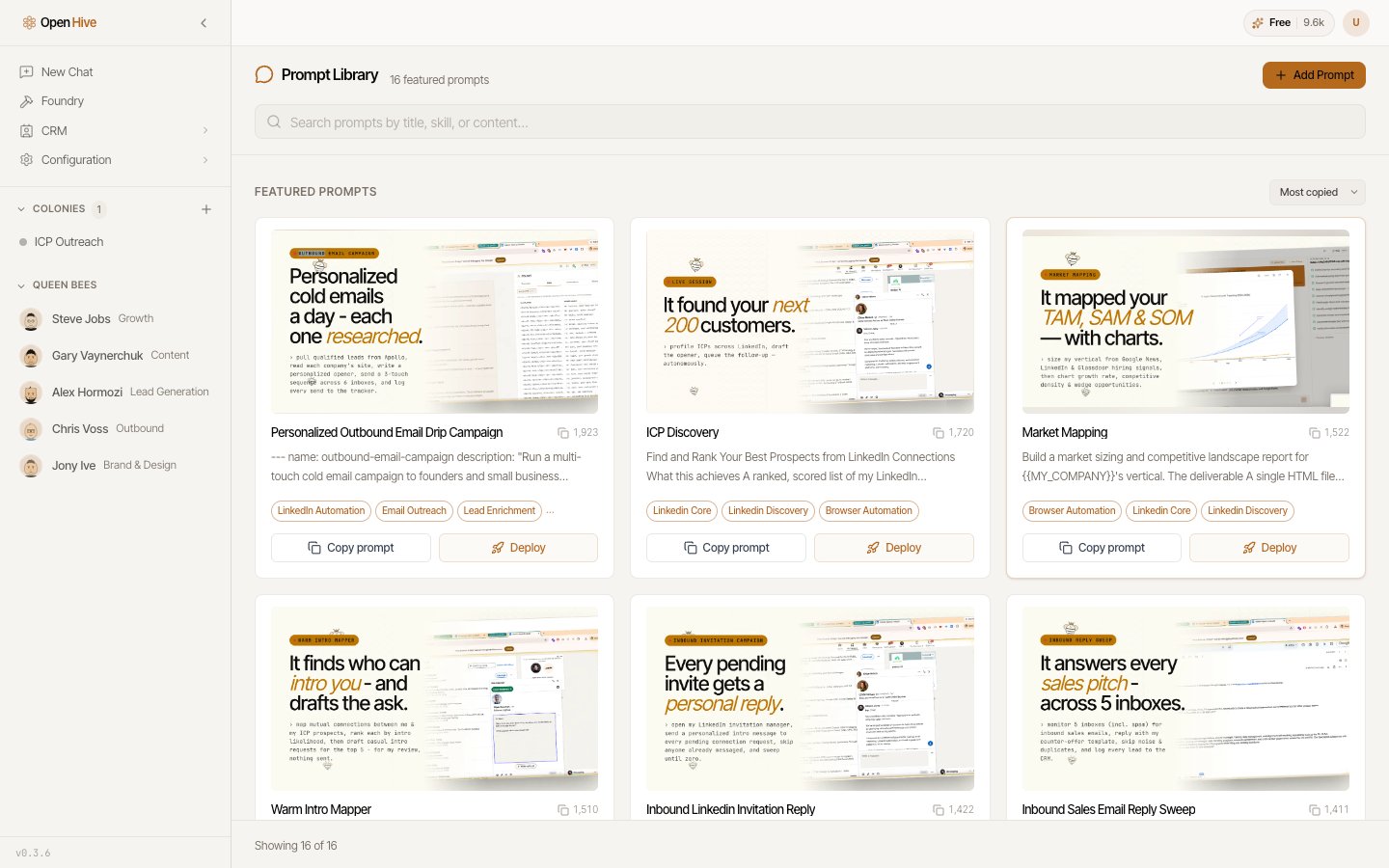 Featured prompts also appear on the home screen, so the common ones are one click from a
cold start.
## Finding a prompt
Search across titles, the skills a prompt uses, and its full text. Searching by
[skill](/concepts/skills) is the useful trick — it surfaces prompts that already know
how to drive the capability you have in mind.
## Running one
Adjust the prompt for your situation before running it.
Spin up a [colony](/concepts/colonies) that runs this prompt as its goal.
Deploying as a colony is the right choice for anything ongoing. A one-off question can
go straight into the home prompt box; a program of work wants a colony that persists.
## Saving your own
**Add Custom Prompt** creates a prompt of your own. Once you've customized an existing
prompt into something better, **Save as my prompt** keeps it in your library instead of
losing the edit.
## Sharing with the community
**Submit prompt for review** puts a prompt forward for the shared catalog. Submitted
prompts show as **pending review** until they're accepted, so you can see where yours
stands.
Featured prompts also appear on the home screen, so the common ones are one click from a
cold start.
## Finding a prompt
Search across titles, the skills a prompt uses, and its full text. Searching by
[skill](/concepts/skills) is the useful trick — it surfaces prompts that already know
how to drive the capability you have in mind.
## Running one
Adjust the prompt for your situation before running it.
Spin up a [colony](/concepts/colonies) that runs this prompt as its goal.
Deploying as a colony is the right choice for anything ongoing. A one-off question can
go straight into the home prompt box; a program of work wants a colony that persists.
## Saving your own
**Add Custom Prompt** creates a prompt of your own. Once you've customized an existing
prompt into something better, **Save as my prompt** keeps it in your library instead of
losing the edit.
## Sharing with the community
**Submit prompt for review** puts a prompt forward for the shared catalog. Submitted
prompts show as **pending review** until they're accepted, so you can see where yours
stands.