

Screenshots show the desktop interface with fictional example data. Names, messages, counts, and connection states are illustrative, not account defaults or evidence of live activity.
Read the task list
Review each task’s description, status, and any blockers. A blocker can refer to another task; select the reference to jump to that task and understand the dependency. No tasks yet means the agent has not recorded a plan. Ask for one when a goal has multiple stages: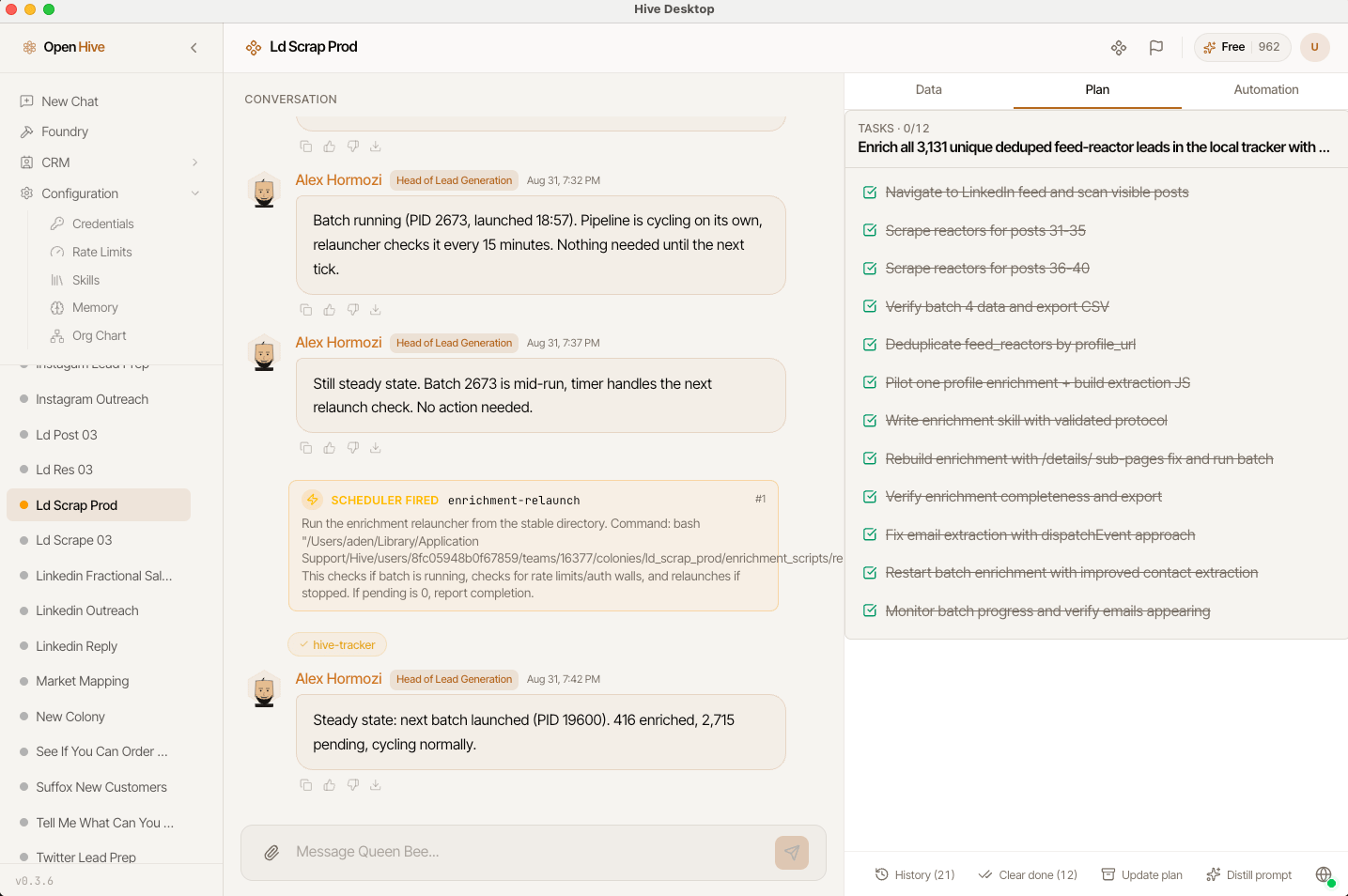
Update a plan
Update plan asks the queen to review progress, mark finished work, archive done or stale items, and list next steps. It initiates agent work; it is not merely a refresh button. When the scope changes, explain the change in chat:
The Plan toolbar separates history, clearing completed tasks, updating the plan, and distilling a prompt.
Clear completed work without losing the history
Clear done appears when there are completed tasks. It archives completed items directly so the active plan is easier to read; it does not ask the agent to run a new planning task. Open History to inspect archived batches, their goal, date, and tasks. Expand a batch to read its contents.The history control labeled Remove from history (restores these tasks to the plan) restores a batch to the active plan. It does not permanently delete those tasks.
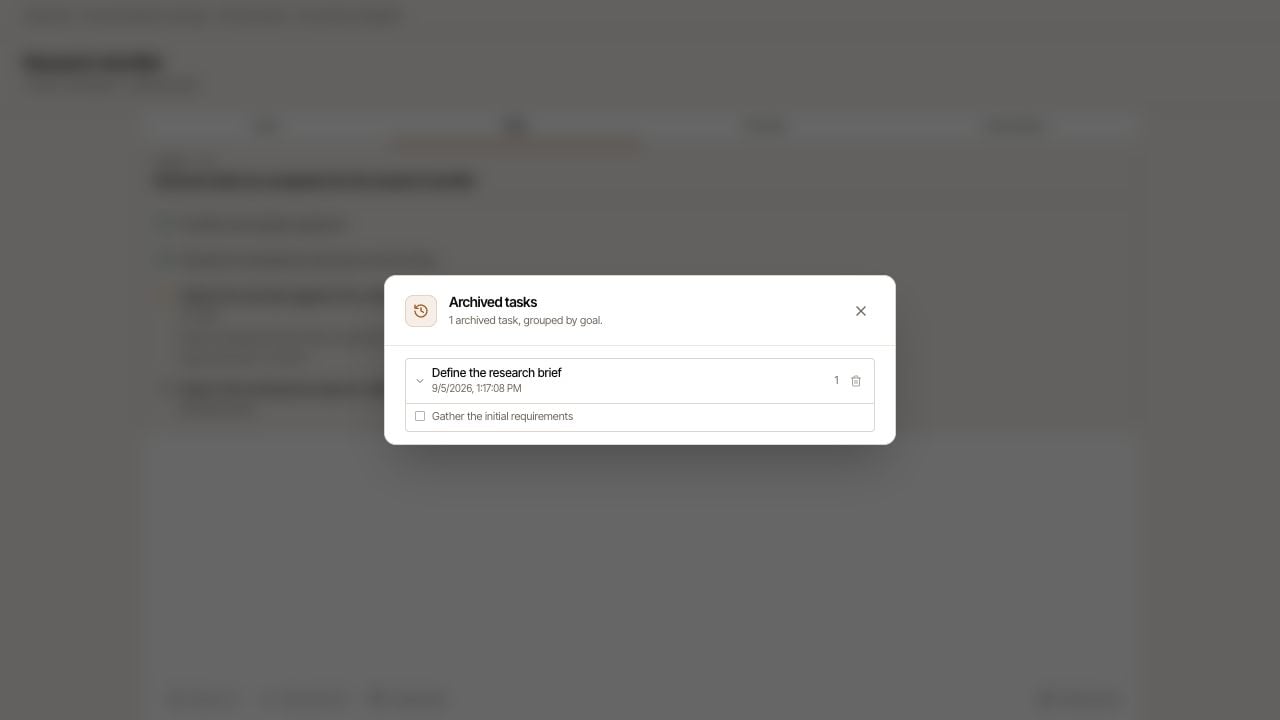
Expand an archived batch to review its tasks and restore it if needed.