

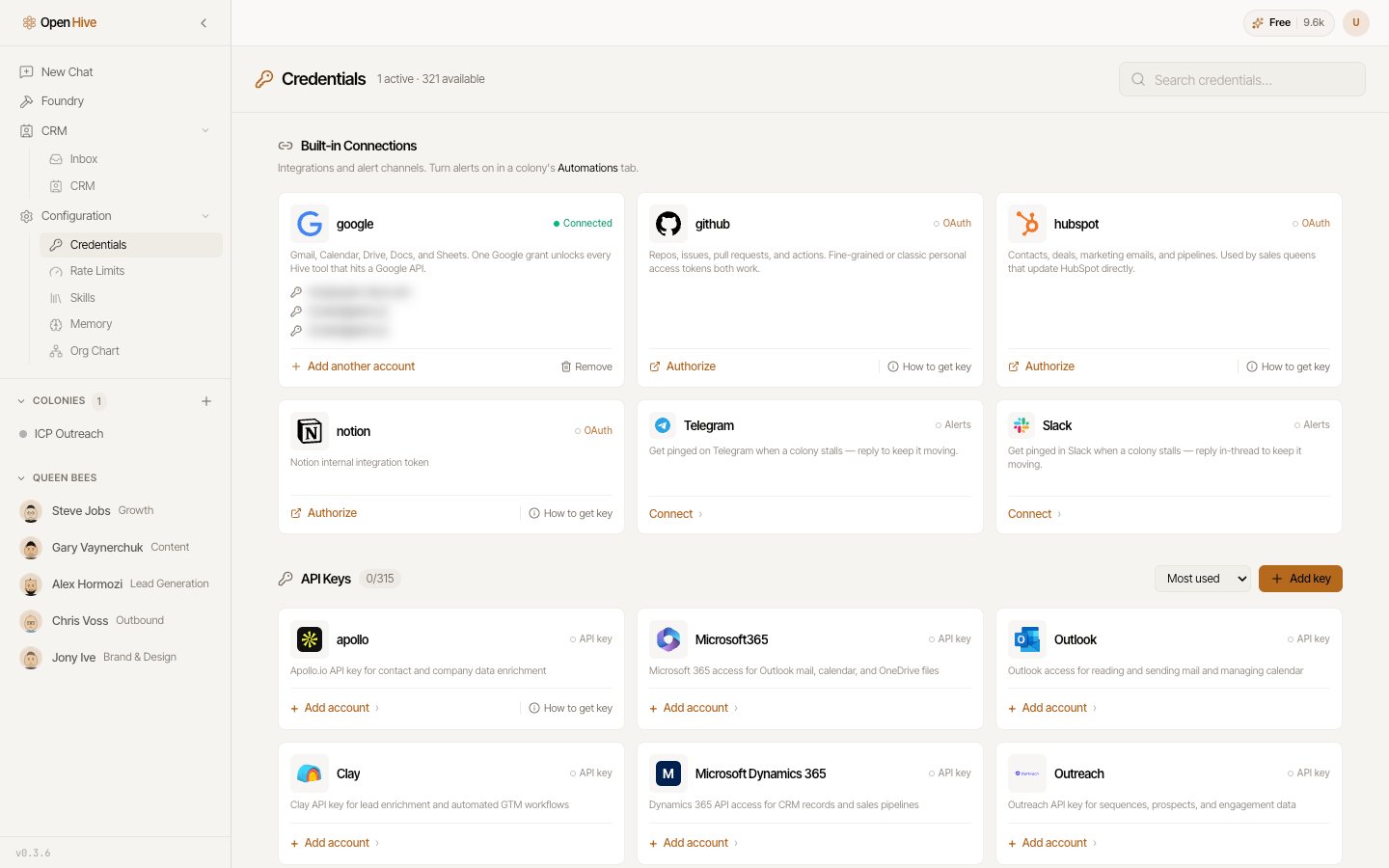
The credentials catalog groups built-in connections and API-key providers. Available providers can change.
Connect a service
- Find the provider using search or Built-in Connections.
- Select its connection action.
- Complete the displayed flow. Some providers open an authorization page; others request a token or provider-specific fields.
- Return to OpenHive and confirm that the intended account appears.
- Run a small task that checks access before starting a larger workflow.
Use the right account
A provider can have multiple connected accounts. Use Add another account when offered and give accounts recognizable aliases. In your task, specify which account the agent should use. For example: “Read the calendar connected as work and list tomorrow’s events. Do not create or modify events.” If the wrong account was connected, correct it before running work. Do not paste passwords or tokens into the colony chat; use the credential form.Add an API key
Find the provider under API Keys and enter the fields requested by its form. Use How to get key when a provider offers that link. Save the credential, then verify it with a small task. A disabled Connect control means that catalog entry is not available through that flow. A provider appearing in search does not guarantee that an integration is ready to use.Model access is a separate choice
Service keys let agents use a service, such as a CRM or enrichment API. Model keys pay for or authorize AI inference. Use Settings → AI Model to inspect the model options offered to your workspace. Adding a key does not, by itself, prove that every future request uses that provider or that all OpenHive charges disappear. Check the selected model, runtime behavior, and your provider’s usage when changing model access. See Credits and plans.Email and notifications need another step
- Email: connect a delivery account and assign a sending profile in Email setup.
- Colony alerts: after connecting the relevant service, choose the destination in Automation → Notifications for that colony.