

Screenshots show the desktop interface with fictional example data. Names, messages, counts, and connection states are illustrative, not account defaults or evidence of live activity.
Write or improve the body
Type your reply in the message body. Use blank lines to separate paragraphs. For AI assistance, enter an instruction in Describe your message when starting from an empty body, or Describe your change when revising existing text, then choose Go. The generated result replaces the body; Undo restores the previous text. The assistant can use workspace memories, which are listed when used. Review facts, promises, tone, and confidential details yourself. Generating text does not send it.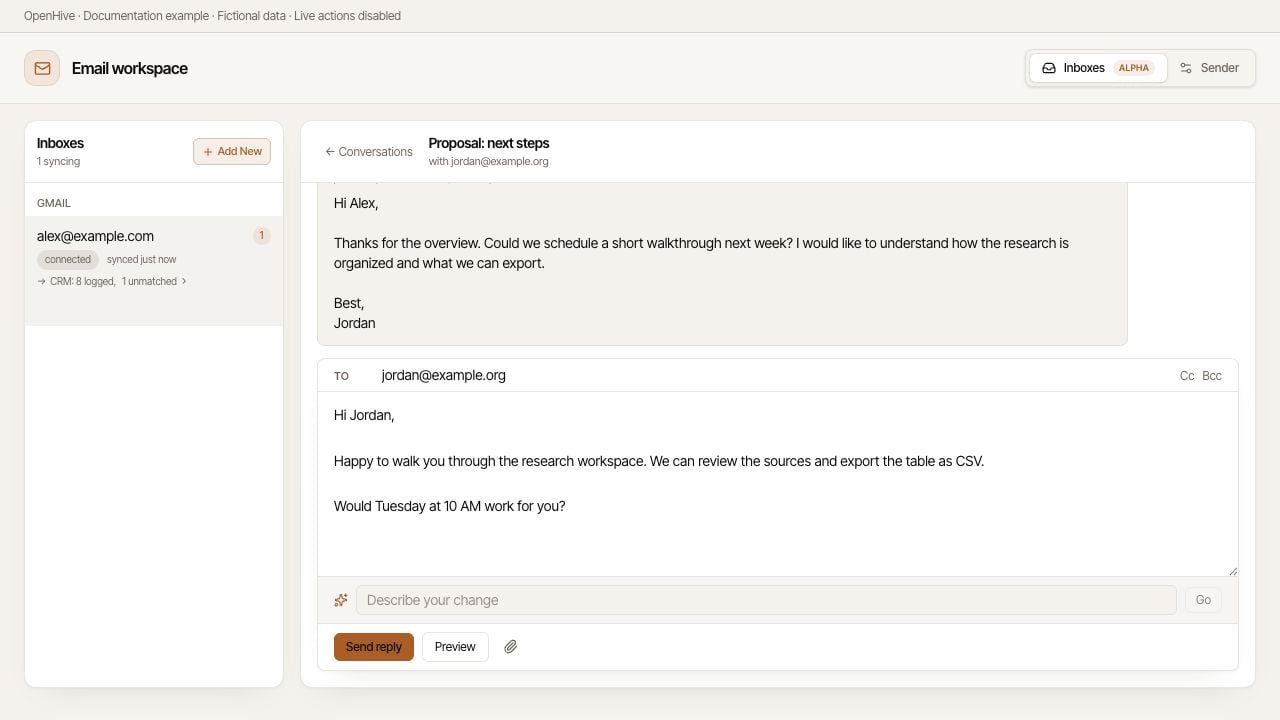
Review the thread while writing an example reply.
Add recipients and files
Use Cc or Bcc to add additional recipients. Check each address, especially when copying someone into an existing conversation. Use Attach files or images, drag files into the composer, or paste an image. For a staged image, Place inline inserts it at the cursor. An image not placed inline remains an attachment. The composer limits total attachments to 20 MB; provider restrictions can be stricter. An address marked suppressed is on the do-not-contact list. Respect that restriction; do not try to bypass it.Preview before sending
- Choose Preview after writing the body.
- Check the subject, From, To, Cc, and Bcc in Reply preview.
- Inspect the rendered body and signature.
- Check the indicators for signature, quoted thread, and attached files.
- Close the preview and correct anything that is wrong.
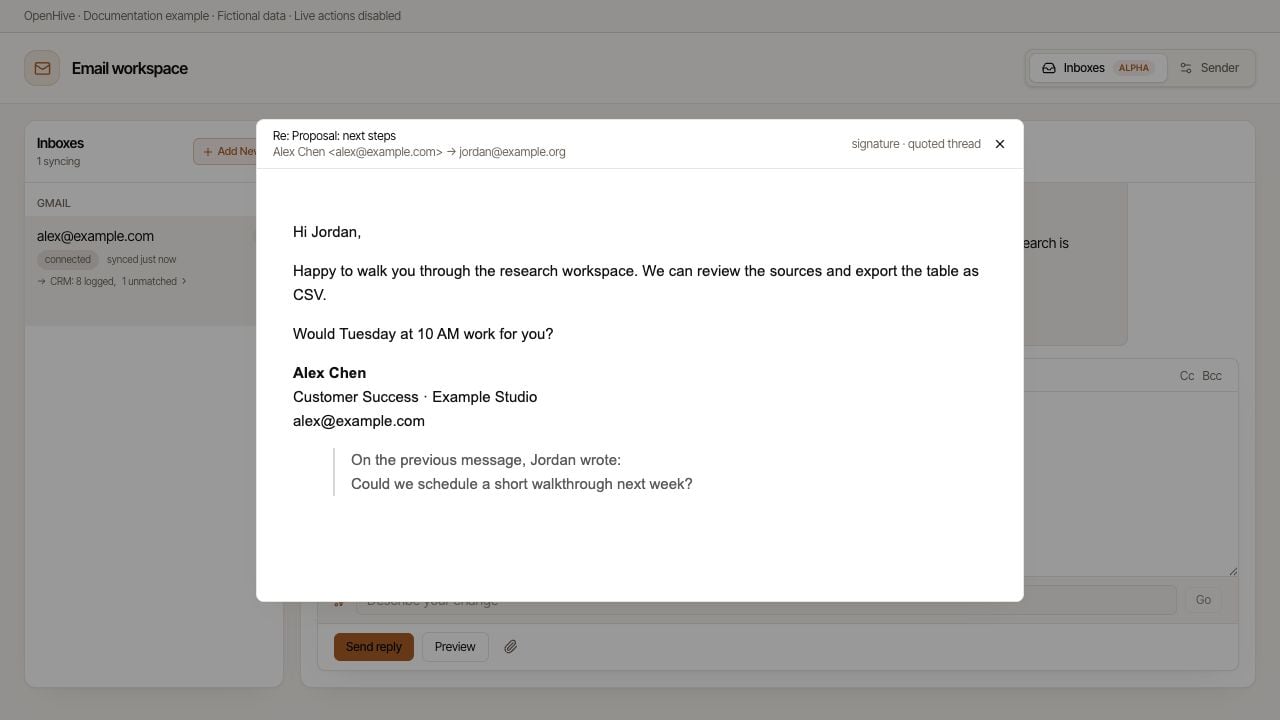
Preview renders the example reply and signature without sending it.