

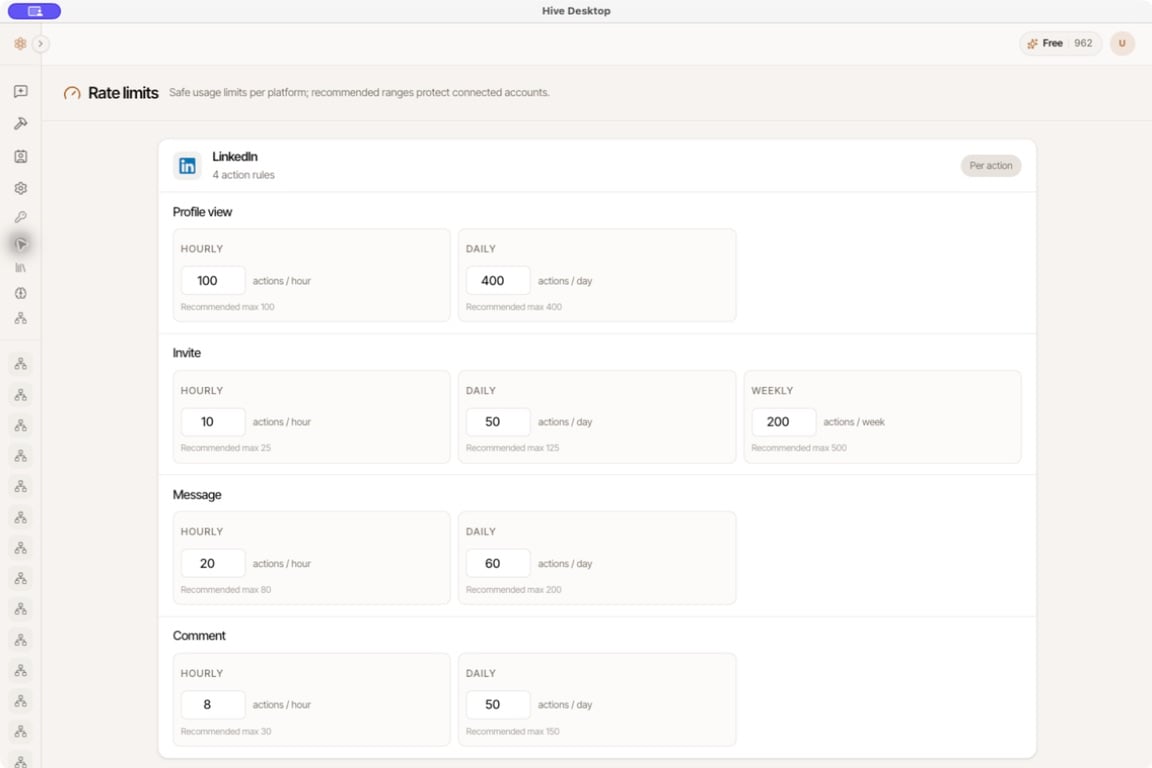
OpenHive Desktop 0.3.6: LinkedIn actions have separate hourly, daily, and, where applicable, weekly limits. Values shown are examples, not recommended settings.
Change a limit
- Find the platform and action.
- Edit the relevant Hourly, Daily, or Weekly field.
- Save the pending changes using the page’s save control.
- Read any validation warnings or errors returned after saving.
What a recommended maximum means
A recommended maximum is guidance displayed by OpenHive. It is not the external platform’s published guarantee, an entitlement to that volume, or protection from restrictions. Use the platform’s rules and the needs of your actual workflow to choose limits. Avoid increasing a limit simply to clear an error. First determine whether the action is being repeated unnecessarily or whether the provider requires waiting.Separate three kinds of limits
A change to one does not remove the others. Configure email senders for email volume and check credits for model-access errors.